A Daily Recruitment KPI Scorecard Built From Google Sheets

Turned a shared spreadsheet into an automatic daily recruiting scorecard in Slack.
Manually pulling recruiter KPI numbers from a spreadsheet and writing up a status summary every evening
~5 hrs/week
The Challenge
Recruiting leadership wanted a daily view of how each recruiter was tracking against hiring targets. Getting that view meant someone pulling numbers from a shared spreadsheet by hand, checking them against the monthly goal, and writing up a summary at the end of the day.
The Solution
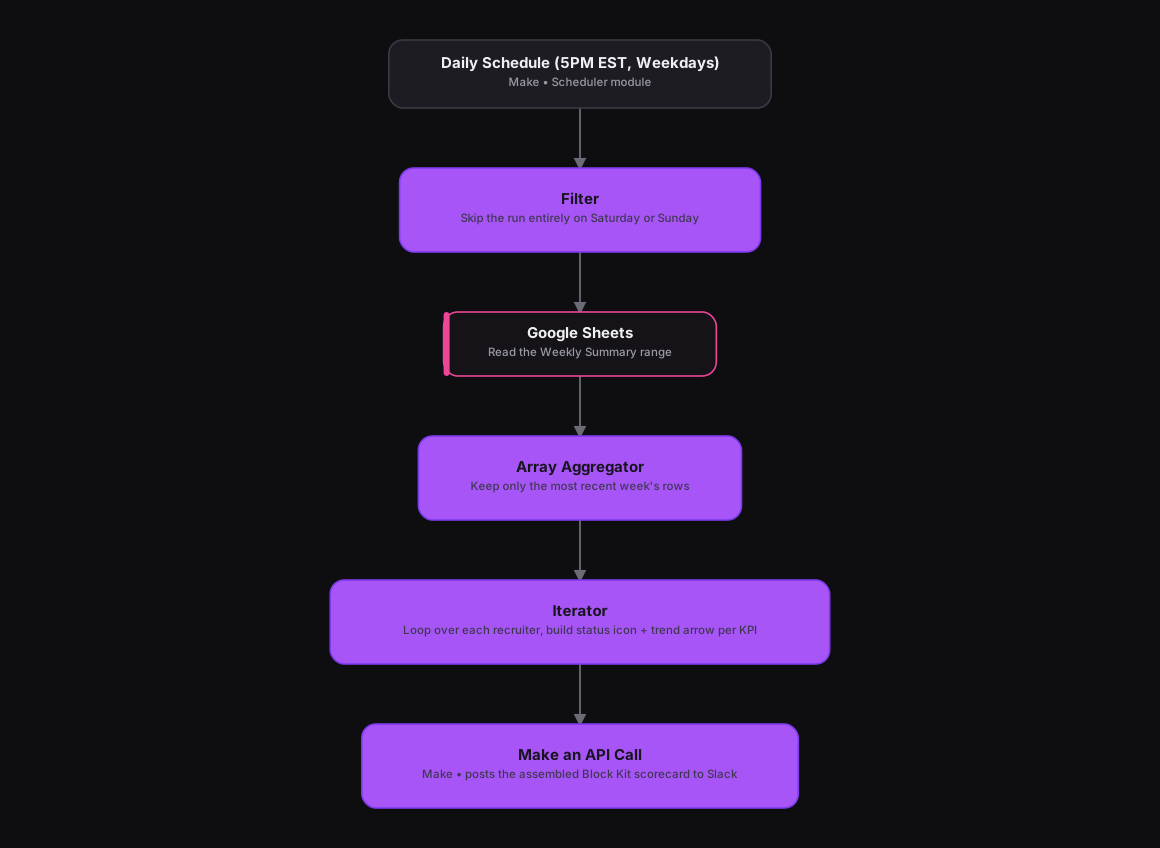
The original n8n version handled this in one large code node. In Make, it turns into a clean module chain. A Scheduler module fires at 5PM EST, and a Filter module stops the run completely on Saturday or Sunday. A Google Sheets module reads the Weekly Summary range, and an Array Aggregator keeps only the most recent week's rows. An Iterator module loops over each recruiter, building a status icon (on track, at risk, behind) and a trend arrow for every KPI, and a Make an API Call module posts the finished Slack Block Kit scorecard straight to the recruiting channel.
How It Works
The Results
Recruiting leadership now sees each recruiter's progress every weekday evening without anyone building the report by hand, status icons, trend arrows, all of it. And skipping weekends means the channel doesn't get a report when there's nothing new to say.
Tools & Technologies Used
How To Create This
- Trigger the scenario on Make's Scheduler module, set to run daily at 5PM EST
- Add a Filter module that stops the scenario entirely if the current day is Saturday or Sunday
- Use a Google Sheets module to read the Weekly Summary range from the hiring tracker
- Add an Array Aggregator to keep only the most recent week's rows
- Use an Iterator module to loop over each recruiter and build a per-KPI status icon and trend arrow
- Post the assembled Block Kit scorecard to Slack with a Make an API Call module
Related Case Studies
Turning a Sales Rep's Typeform Check-In Into a Slack Scorecard
A Make.com scenario that turns a sales rep's end-of-day Typeform check-in into a clean, formatted Slack scorecard. No manual compiling needed.
Daily Overdue-Task Alerts Across Every Client Agency
A Make.com scenario that checks every client agency's ClickUp list each morning and sends a Slack alert into that agency's own channel for anything overdue.
