Daily Overdue-Task Alerts Across Every Client Agency

Automated a daily overdue-task check across every client agency, delivered straight to their own Slack channel.
Manually auditing every client agency's ClickUp list each morning for slipping deadlines
~5 hrs/week
The Challenge
Account managers were on the hook for catching slipping deadlines across every client agency's ClickUp board. In practice that meant manually auditing each agency's task list every morning, an easy check to let slide once the number of active agencies grew.
The Solution
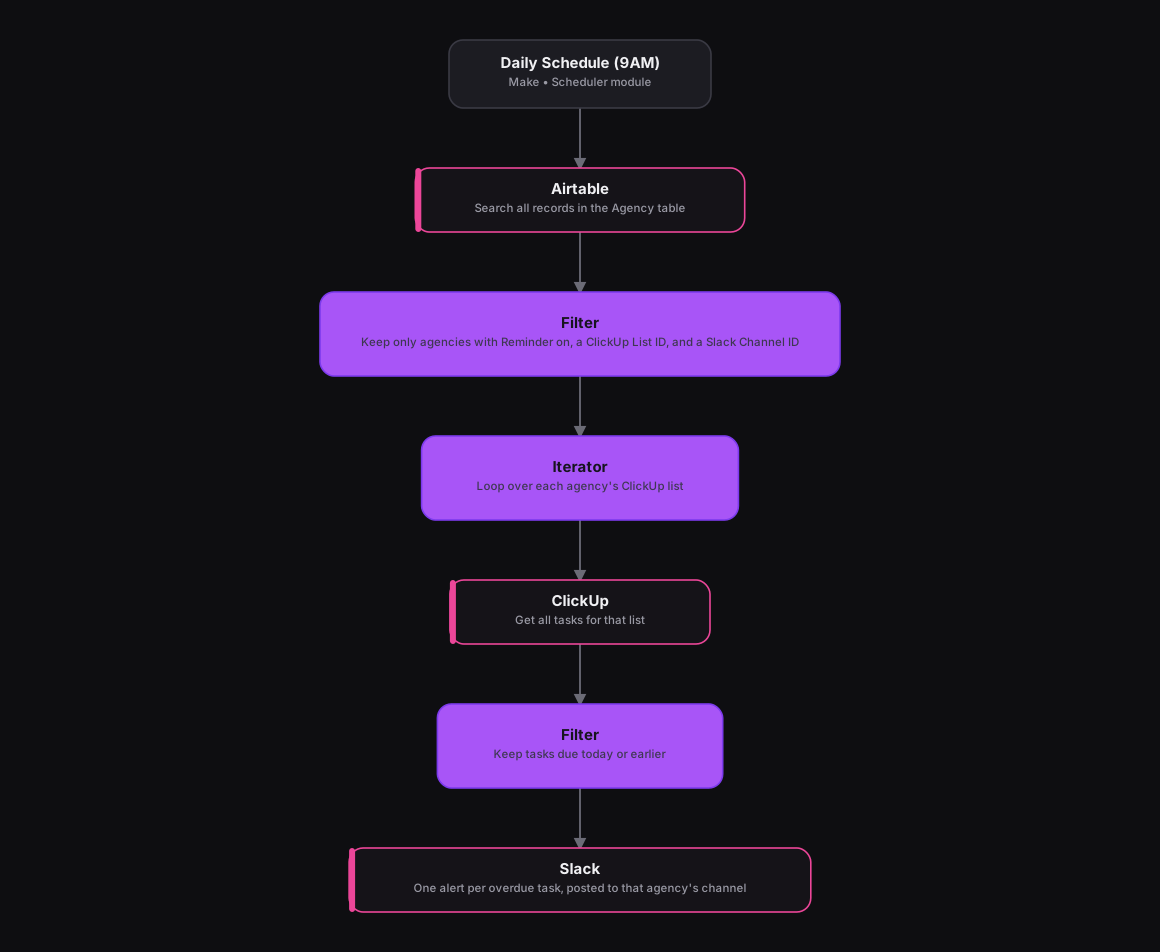
The n8n version looped through agencies and their tasks with two nested filters. Make runs the same structure as a Scheduler module firing at 9AM, followed by an Airtable module that searches every record in the Agency table. A Filter module keeps only agencies that have reminders turned on and both a ClickUp List ID and a Slack Channel ID set, and an Iterator module loops over each one that survives. For each agency, a ClickUp module pulls every task on its list, a second Filter keeps only what's due today or earlier, and a Slack module posts one alert per overdue task straight into that agency's own channel.
How It Works
The Results
Every client agency now gets an automatic daily nudge about overdue or due-today tasks in its own channel, no account manager auditing ClickUp by hand. And since the agency roster and reminder settings live in Airtable, adding or dropping an agency is just a spreadsheet edit, not a change to the scenario itself.
Tools & Technologies Used
How To Create This
- Trigger the scenario on Make's Scheduler module, set to run daily at 9AM
- Use an Airtable module to search every record in the Agency table
- Add a Filter module that keeps only agencies with a Reminder flag on, a ClickUp List ID, and a Slack Channel ID
- Use an Iterator module to loop over each surviving agency record
- Add a ClickUp module to pull every task from that agency's list, then a Filter module to keep only tasks due today or earlier
- Post one Slack message per overdue task into that agency's own channel
Related Case Studies
Turning a Sales Rep's Typeform Check-In Into a Slack Scorecard
A Make.com scenario that turns a sales rep's end-of-day Typeform check-in into a clean, formatted Slack scorecard. No manual compiling needed.
A Daily Recruitment KPI Scorecard Built From Google Sheets
A Make.com scenario that pulls each recruiter's weekly KPI progress from a Google Sheet and posts a formatted scorecard to Slack every weekday evening.
